On-Page SEO Tips for Small Business Websites (UK Guide)

Your website looks good. You've got your services listed, some photos, a contact form. But when you search for what you do on Google, you're nowhere to be found. Meanwhile, your competitors are on page one, and you're left wondering what they know that you don't.
The answer is usually simpler than you think. It's not about gaming the system or hiring an expensive agency to work magic behind the scenes. Most of the time, it comes down to a handful of basic on-page SEO fixes that Google uses to understand what your site is about and whether it deserves to rank.
In this guide, we'll walk you through the practical, no-nonsense on-page SEO tips that UK small businesses can start applying today. These are the same principles we use when building sites at WebConduit, and they work whether you're doing it yourself or working with a professional.
What Is On-Page SEO (And Why It Matters for UK Small Businesses)
On-page SEO is everything you control directly on your website that helps Google understand what you do, where you operate, and who you serve. It's the words on your pages, the structure of your headings, how fast your site loads, and whether it works properly on mobile.
Think of it as the signals you're sending to Google. If those signals are clear, Google can confidently show your site to people searching for what you offer. If they're vague, missing, or contradictory, Google moves on to the next result.
For small businesses, on-page SEO matters even more than it does for big brands. You're not competing on name recognition or marketing budgets. You're competing on relevance, clarity, and local presence. Get those things right, and you can outrank businesses ten times your size.
The outcomes are straightforward: better rankings mean more visibility, more visibility means more clicks, and more clicks mean more customers finding you instead of your competitors.
Quick On-Page SEO Checklist (Simple Overview)
Here's what matters most for on-page SEO:
- Page titles (meta titles) — What Google shows as the blue link in search results
- Meta descriptions — The short summary under your page title
- Headings (H1, H2, H3) — How you structure your content
- Keywords used naturally — Mentioning your service and location clearly
- Fast loading speed — Sites that load quickly rank better
- Mobile-friendly design — Most users search on phones
- Internal links — Linking between your own pages
If your site covers these basics, you're already ahead of most small business websites. Now let's break down how to get each one right.
1. Get Your Page Titles Right (Most Important Step)
Your page title (also called a title tag or meta title) is the single most important on-page SEO element. It's what Google shows as the blue clickable link in search results, and it's one of the strongest signals you send about what a page is about.
Most small business websites get this wrong. They either leave the default builder title ("Home" or "Untitled Page"), use something vague ("Welcome"), or stuff it with keywords until it reads like nonsense.
Here's what works:
Bad: "Home"
Bad: "Welcome to Our Website"
Bad: "Web Design SEO Loughborough Leicester Nottingham Websites Cheap"
Good: "Web Design for Small Businesses in Loughborough | WebConduit"
A good page title is clear, specific, and includes three things: what you do, who it's for (or where you serve), and your business name. It reads naturally and tells both Google and potential visitors exactly what they'll find on the page.
Every page on your site should have a unique, descriptive title. Your homepage gets the broadest one. Service pages get more specific ("Website Design and Development | WebConduit"). Blog posts describe the topic ("On-Page SEO Tips for Small Businesses | WebConduit").
This is low-hanging fruit. Fix your page titles, and you'll often see an immediate improvement in how Google understands and ranks your site.
2. Write Meta Descriptions That Get Clicks
Your meta description is the short snippet of text that appears under your page title in Google's search results. It doesn't directly affect your rankings, but it absolutely affects whether people click on your result or scroll past it.
Google doesn't always use the meta description you write; sometimes it pulls text from your page that it thinks better matches the search query. But giving Google a well-written option improves your chances of getting a compelling snippet.
Here's a simple structure that works:
- What you do — "We design hand-coded websites for small businesses"
- Who it's for — "in Loughborough and across the UK"
- Benefit — "Fast, accessible, built to rank well and convert visitors"
- Subtle call to action — "Get in touch for a free consultation"
Keep it under 155 characters so it doesn't get cut off in search results. Write it like you're explaining to someone why they should click your link instead of the one below it.
A good meta description won't magically boost your rankings, but it can be the difference between getting the click and losing it to a competitor who explained their offer more clearly.
3. Use Clear Headings (H1, H2, H3)
Headings structure your content and help both visitors and Google understand what each section is about. Think of them like the table of contents in a book: they guide people through your page and make it easier to scan.
Your H1 is the main headline for the page. It should be clear, descriptive, and match the page title as closely as possible. You should only have one H1 per page.
Your H2s are the major sections. On this page, for example, each numbered tip is an H2. They break the content into digestible chunks and signal to Google what each section covers.
H3s and beyond are sub-sections within those sections. Most small business pages don't need to go deeper than H2s, but if you're writing a long guide or detailed service page, H3s help keep things organised.
Tips for good headings:
- Use one H1 per page (usually your main headline)
- Break long content into H2 sections
- Keep headings natural and descriptive, don't stuff them with keywords
- Make sure they actually describe what's in that section
Headings aren't just for SEO. They make your content easier to read, which keeps people on your page longer. That's a signal Google pays attention to.
4. Use Keywords Naturally (Don't Overthink It)
Keywords are just the words and phrases people type into Google when they're looking for what you offer. If you run a web design business in Loughborough, your keywords might include "web design Loughborough," "website design for small businesses," or "hand-coded websites UK."
The mistake most people make is either ignoring keywords entirely or obsessing over them to the point where their content sounds robotic. Neither works.
The better approach: write clearly about what you do, mention your service and location a few times where it makes sense, and use natural variations of your main phrases.
For example, if your main service is web design for small businesses, you might naturally mention:
- "We design websites for small businesses"
- "Our web design service is built for UK businesses"
- "Hand-coded website design in Loughborough"
These aren't forced. They're just clear descriptions of what you do. Google is smart enough to understand that "web design," "website design," and "design websites" all mean the same thing. You don't need to repeat the exact phrase twenty times.
If you're struggling to work a keyword in naturally, that's usually a sign you're forcing it. Just write like you're explaining your service to someone who asked what you do. That's good enough.
5. Optimise Your Homepage Properly
Your homepage is the most important page on your site for SEO. It's usually the page Google shows when someone searches for your business name, and it's often the first page new visitors land on.
Yet most small business homepages are frustratingly vague. They have a nice hero image, a tagline that sounds good but says nothing specific ("We help businesses thrive online"), and then a wall of generic text about passion, excellence, and commitment.
Google can't rank vague. It needs clarity.
A well-optimised homepage should make three things immediately obvious:
- What you do — "We design hand-coded websites for small businesses"
- Who you help — "UK small businesses looking for fast, accessible sites"
- Where you operate — "Based in Loughborough, serving businesses across the UK"
It should also include clear internal links to your main service pages, an obvious call to action (contact form, phone number, consultation request), and enough content to give Google something to work with. But not so much that it overwhelms visitors.
At WebConduit, our homepage explains exactly what we do (hand-coded websites), who we serve (small businesses), where we're based (Loughborough), and links clearly to our All-In-One Website Package and Website Design and Development services.
That's not an accident. It's deliberate on-page SEO, and it's why we rank well for the terms that matter to us.
6. Make Your Website Fast and Mobile-Friendly
Google has been clear about this for years: fast, mobile-friendly sites rank better than slow, desktop-only sites. Most searches now happen on mobile, and Google prioritises sites that work well on phones.
If your site takes more than three seconds to load, you're losing visitors before they even see your content. Google's own research shows that 53% of mobile users leave if a page takes longer than three seconds.
Speed matters for rankings, but it also matters for conversions. A slow site frustrates people. A fast site feels professional and trustworthy.
This is one area where the way your site is built makes a huge difference. Bloated WordPress themes, excessive plugins, unoptimised images, and heavy JavaScript all drag performance down. Hand-coded sites built with clean HTML and CSS load faster because there's less junk slowing them down.
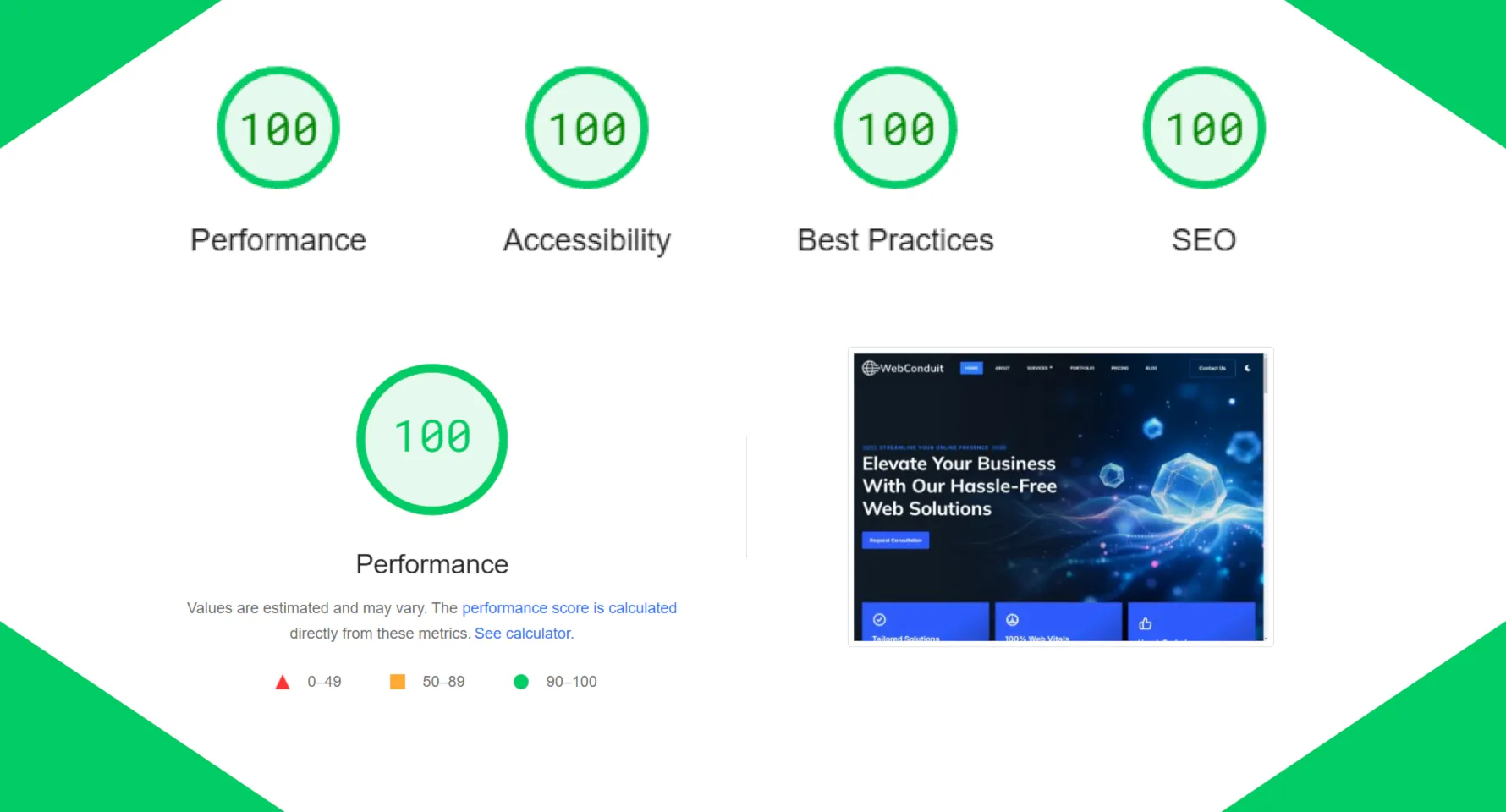
At WebConduit, we guarantee a 98+ Performance score on Google PageSpeed Insights precisely because we hand-code every site from scratch. No plugins, no site builders, no unnecessary bloat. Just clean, efficient code that loads quickly and works smoothly on any device.
If you're on a DIY platform and your site is slow, start by compressing your images, removing plugins you don't need, and switching to a faster hosting provider. Those alone can make a noticeable difference.
7. Use Internal Links to Guide Visitors
Internal links are links from one page on your site to another page on your site. They help visitors navigate, and they help Google understand the structure and importance of your pages.
For example, if your homepage links to your services page, that signals to Google that your services page is important. If a blog post links to your contact page, that helps Google understand how your content connects.
Internal linking also keeps people on your site longer. Instead of reading one page and leaving, they click through to related content. The longer someone stays engaged, the better your site performs.
Examples of good internal linking:
- Your homepage links to your main service pages
- Service pages link to relevant case studies or blog posts
- Blog posts link to related services or other articles
- Every page has a clear call to action linking to your contact page
You don't need to overthink it. Just link naturally when it makes sense. If you're writing a blog post about website performance and you offer a service that guarantees fast sites, link to it. If you mention a previous article, link to it.
The key is that the links should be useful to the reader. Don't stuff links in just for SEO. Google can tell the difference.
Common On-Page SEO Mistakes Small Businesses Make
Even businesses that care about SEO often get a few basics wrong. Here are the most common mistakes we see:
Using "Home" as the page title. This tells Google nothing. Your homepage title should explain what your business does and where you operate.
No location mentioned anywhere. If you're a local business, Google needs to know where you serve. Mention your town or region in your page titles, homepage content, and contact information.
Slow website. Performance matters. If your site takes five seconds to load, you're losing visitors and rankings.
Too much text with no structure. A wall of paragraphs is hard to read and hard for Google to parse. Use headings, short paragraphs, and clear sections.
No clear call to action. Every page should tell visitors what to do next: contact you, request a quote, book a consultation. Make it obvious.
Vague, generic content. "We provide high-quality solutions" means nothing. Be specific about what you do and who you help.
These aren't complicated fixes. Most of them take an hour or less to address. But they're the difference between a site that ranks and one that doesn't.
When to DIY vs When to Hire a Professional
You can absolutely handle the basics of on-page SEO yourself. Fixing your page titles, writing better meta descriptions, cleaning up your headings, and making your content clearer are all things you can do without technical expertise.
But there's a point where DIY stops being efficient and starts costing you time and results.
You can DIY:
- Writing clear page titles and meta descriptions
- Structuring content with proper headings
- Adding internal links between your pages
- Making sure your homepage explains what you do
Where professionals make the difference:
- Performance optimisation — Getting your site to load in under two seconds requires technical knowledge and clean code
- Technical SEO — Structured data, XML sitemaps, proper URL structures, canonical tags
- Mobile optimisation — Making sure your site works flawlessly across all devices
- Conversion optimisation — Structuring pages so visitors actually take action, not just read and leave
At WebConduit, the sites we build are optimised for on-page SEO from the ground up. Page titles, meta descriptions, headings, internal links, performance, mobile responsiveness—it's all handled as part of the build. You don't have to think about it, because it's already done properly.
If you're working with an existing site and you've fixed the basics but still aren't seeing results, that's usually a sign that the problem runs deeper. It might be your site's structure, your code, your hosting, or a hundred other technical details that aren't obvious without digging in.
Final Thoughts: Simple SEO Wins Add Up
On-page SEO isn't mysterious, and you don't need to do everything at once. Start with the highest-impact fixes: your page titles, your homepage clarity, and your site speed. Those three alone will put you ahead of most small business websites.
Then work through the rest at your own pace. Add internal links. Clean up your headings. Write better meta descriptions. Each small improvement compounds over time.
The businesses that rank well on Google didn't get there by doing one big thing. They got there by doing a lot of small things correctly and consistently. That's what good on-page SEO looks like.
Need Help Improving Your Website SEO?
If you'd rather have this done properly from the start, we can help. At WebConduit, every site we build is hand-coded with on-page SEO handled as part of the process. That means clean code, fast performance, proper structure, and all the technical details sorted before your site goes live.
Whether you're looking for our All-In-One Website Package with ongoing support and unlimited edits, or our Website Design and Development service for a one-off build, we'll make sure your site is built to rank well and convert visitors into customers.
Get In Touch